
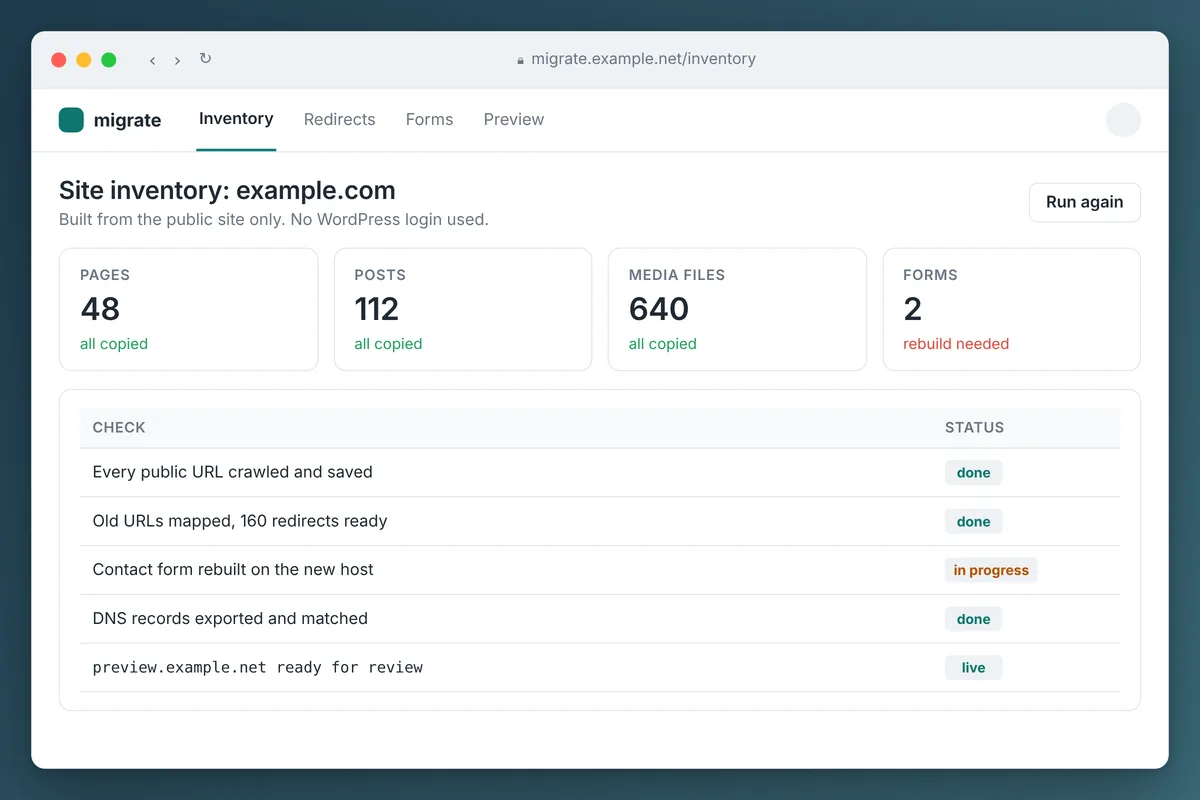
You can migrate a WordPress site without the admin login. Rebuild it from the outside in: copy every public page, image and file, rebuild the forms, map the old URLs, and publish the copy on Cloudflare. The one step you cannot skip is getting control of your domain, so start that first.
Here is the situation we keep running into. A business has a WordPress site somebody built years ago. They pay that person, or a company they have never met, something like $150 a month for "hosting and maintenance." Nobody at the business has the login. Some owners are not sure who the guy even is anymore.
The site works, mostly. But nobody can change a phone number without sending an email and waiting a week.
This guide covers how we move those sites, what carries over and what does not, and where people get stuck.
Can you migrate a WordPress site without the login?
Yes, for most small business sites. A typical brochure site is pages, blog posts, images, PDFs and a contact form. Everything a visitor can see is public, so everything a visitor can see can be copied.
What carries over and what needs work:
| Part of the site | Without a login |
|---|---|
| Pages and blog posts | Copied as they appear today |
| Design and layout | Copied as built pages |
| Images, PDFs and downloads | Copied |
| URLs | Kept the same, or redirected |
| Contact and quote forms | Rebuilt on the new host |
| Site search, comments, member logins | Rebuilt or replaced |
| WooCommerce checkout | Not a fit for this approach |
| The WordPress editor | Replaced; you edit through Claude instead |
Our take: if the site is mostly words and pictures that change a few times a year, you do not need WordPress at all. You need the content, a fast host and a simple way to make changes.
Step 1: Find out what you actually control
Before touching the website, find out who controls the three things behind it:
- The domain registration. A WHOIS or RDAP lookup shows the registrar. The question is whose account the domain sits in.
- The DNS. A nameserver lookup shows where DNS is hosted. Your email records live there too.
- The hosting. The server the site runs on, often in the web guy's account.
The domain is the long pole in the tent. If it is registered in your company's name, your registrar has to help you, and ICANN's rules require the registrar to provide the transfer code within five calendar days of a request.
If the developer registered it in his own name or account, it gets harder. You may need to prove the business is the rightful owner. Start this right away, because everything else can be done while it is in progress.
Step 2: Inventory the public site
You cannot move what you have not listed. Without a login, the list comes from the outside:
- The XML sitemap. WordPress 5.5 and later publishes one by default unless a plugin replaces it.
- The blog's RSS feed and category pages.
- Google Search Console, if anyone ever set it up.
- Old ads, email signatures, business cards and QR codes, which often point at pages nobody remembers.
Old sites often have pages that are not linked from the menu at all: old landing pages, thank-you pages and PDFs that still get traffic. Miss those and you break links people are still using.
Step 3: Copy the site from the outside in
This is the part we will keep high level. The idea is simple. You visit every page the way a browser would, save what it renders along with every image, stylesheet and file it uses, and clean the result so it runs anywhere.
The details are where do-it-yourself attempts go wrong:
- Images that only load as you scroll get missed
- Links still point at the old server, so the copy quietly depends on the site you are leaving
- Forms still submit to the old WordPress install
- Leftover plugin scripts slow the new site down or throw errors
- Mixed HTTP and HTTPS content triggers browser warnings
Done well, the copy looks identical to the original. It also loads faster, because a pre-built page does not ask a database for anything.
Step 4: Rebuild what WordPress was doing behind the scenes
A static copy has no server-side code, so anything interactive gets rebuilt:
- Contact forms. We use a small Cloudflare Worker that stores each submission in a database and emails it to you, with Cloudflare Turnstile for spam.
- Site search, if the site actually needs it.
- Booking widgets, chat and analytics, which are usually a snippet of code you paste back in.
Our read: most small business sites have one or two forms and nothing else dynamic. This step is usually smaller than people expect.
Step 5: Publish on Cloudflare and review a preview
The copy goes onto Cloudflare at a private preview address first. You click through it side by side with the live site before anything changes for visitors.
Cost is the other reason we like it. On Cloudflare Workers, requests to static assets are free and unlimited. A brochure site that was costing $150 a month can run for little more than the domain renewal.
This is how our own site runs. We moved shiptronix.com to Cloudflare Workers with static pages, and a separate staging copy that search engines are told to ignore.
Step 6: Cut over once you control the domain
When the preview is approved and the domain is in your account, you point DNS at Cloudflare. If the domain is moving to Cloudflare DNS, every existing record has to come with it, especially email. Our DNS migration to Cloudflare guide covers that step, and the website migration checklist covers redirects, forms and the first 90 days.
Keep the old site running until the new one is proven. Then cancel the monthly bill.
How do you edit the site after it moves?
You ask for the change in plain English. Claude edits the page, shows you the result and publishes it to Cloudflare. No WordPress dashboard, no plugin updates, no login to lose.
That is not theory for us. This website, our internal tools and our dashboards were built and are maintained with Claude Code by a non-developer executive. For businesses with several domains, the same setup handles DNS too, as covered in managing DNS at scale with Claude and Cloudflare.
When this is not the right move
We would not do this for every WordPress site:
- Online stores with a large catalog and checkout on WooCommerce
- Membership sites with user logins
- Sites where several staff publish content every day
Those need WordPress or a platform like it. For them, the better fix is getting the login back and moving to hosting you control. Our website hosting migration guide covers that path.
Free migration preview
If you are paying for a site you cannot log into, send us the address. We will copy it onto a new server and send you a private preview link to review, free.
No login needed, no call needed, and nothing changes on your live site. If you like what you see, we will walk you through getting your domain back and switching over. Request your free migration preview.
Frequently asked questions
Can I legally copy my own website without the developer's permission?
The content about your business, such as your text, photos and logo, is usually yours. Who owns the design and code can depend on your agreement with the developer, so read it if you have one. We are not lawyers, and if ownership is disputed, talk to one before you move anything.
Will I lose my Google rankings if I move off WordPress?
Not if the URLs stay the same or every old URL redirects to its new address. Rankings drop when pages disappear, not because the platform changed. Keep titles and descriptions, and watch Search Console for a few months after the move.
What happens to my email when the website moves?
Nothing, as long as your email records come across with DNS. Website and email share the same DNS zone, so we copy every record before changing anything and test mail both directions after.
What if I do not know who controls my domain?
Start with a WHOIS or RDAP lookup to find the registrar, then contact them as the business owner. If the domain is in someone else's account, the registrar can tell you what proof they need. It can take a few weeks, so start early.
Do I still need WordPress after the migration?
For a site that is mostly pages and a contact form, no. You keep the content and the design, and make changes by asking Claude instead of logging into a dashboard.